VOICE AND TOUCH ORDERING.YOUR MENU AND BRAND.ONE VIEW FOR YOUR TEAM.
01 / FOR YOUR GUESTS
Let guests order in their own words.
With Soupr, guests can speak their order or browse the menu by touch. Items and choices appear on screen as they order.
Choose sizes, extras and combos, add instructions to each item, then check the order before checkout.
Views advance every six seconds. Choose a view to advance immediately. Keyboard focus stops automatic rotation.
GUEST ORDERING
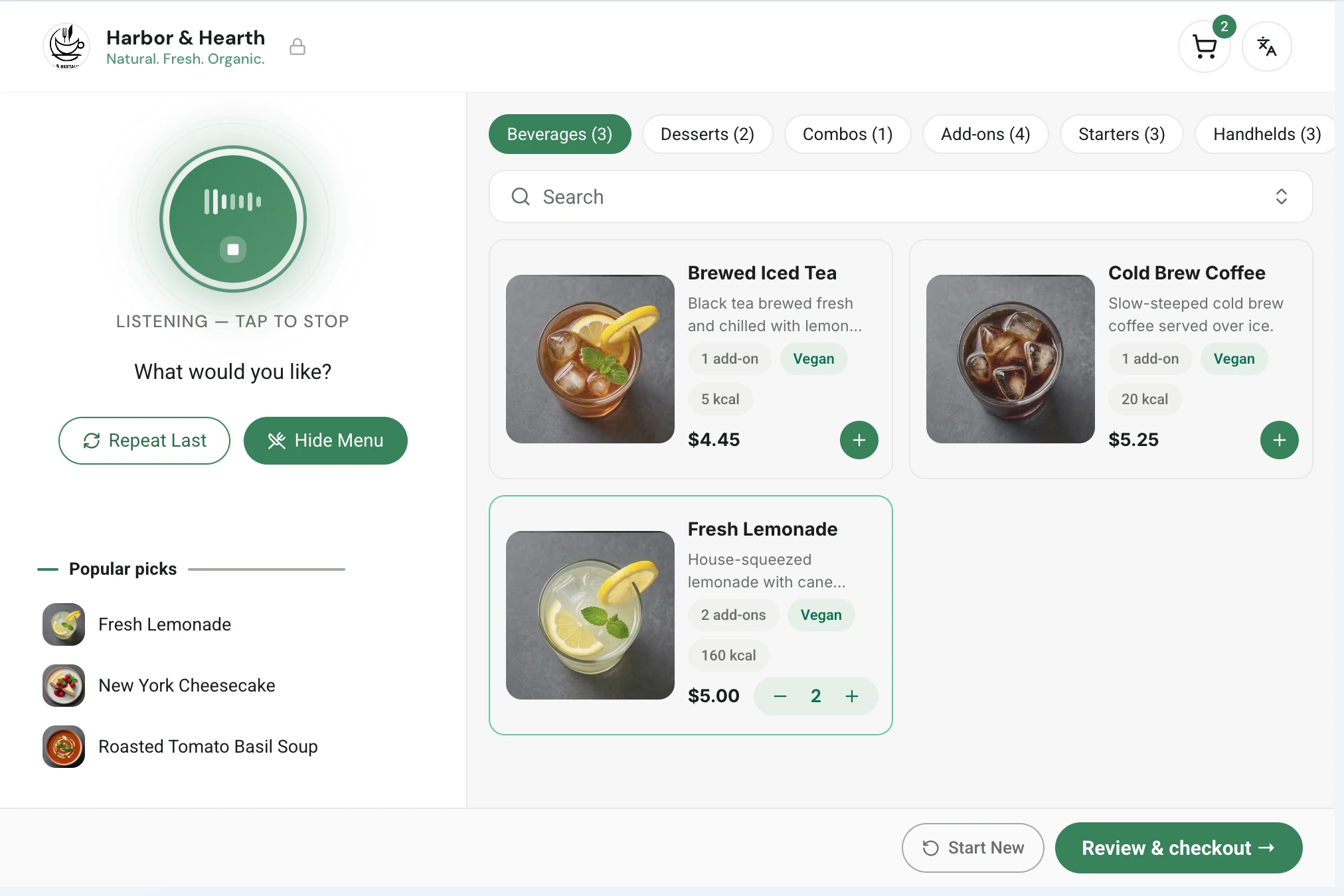
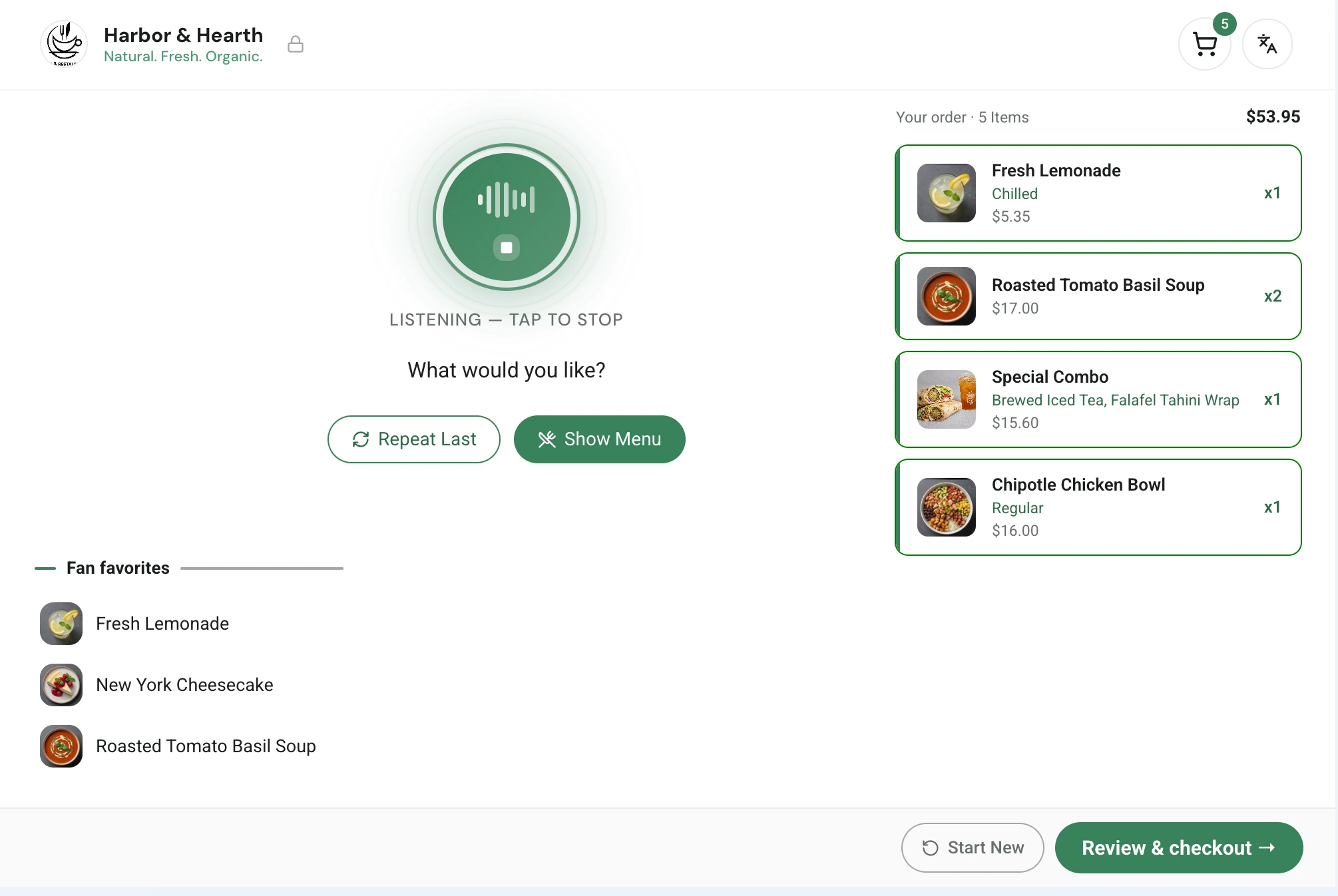
Start with a conversation.
Guests say what they would like from your menu. Items and choices appear on screen as they order.
GUEST ORDERING
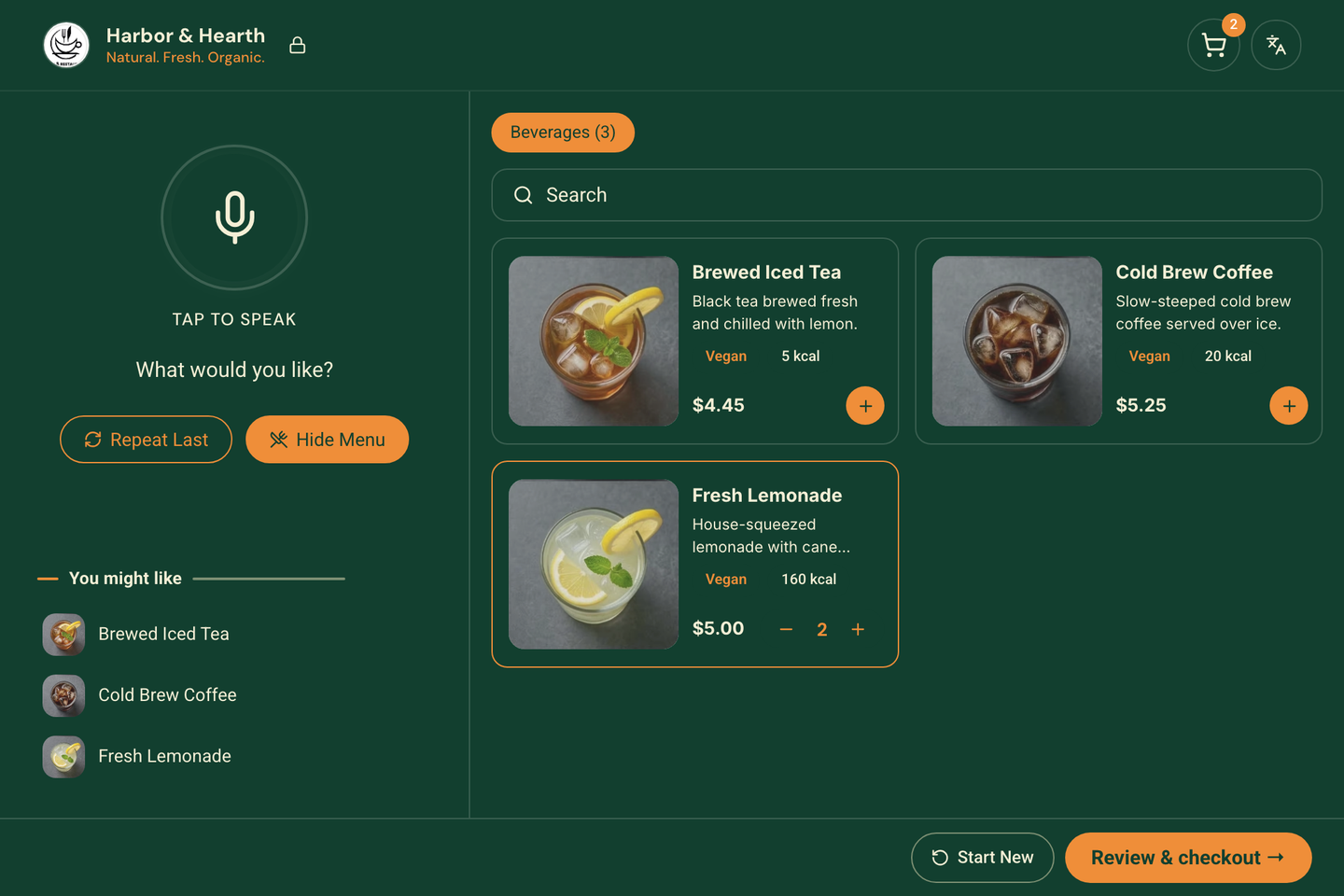
Give guests a way to browse.
Browse categories, view items and choose by touch. Guests can use voice and touch in the same ordering screen.
GUEST ORDERING
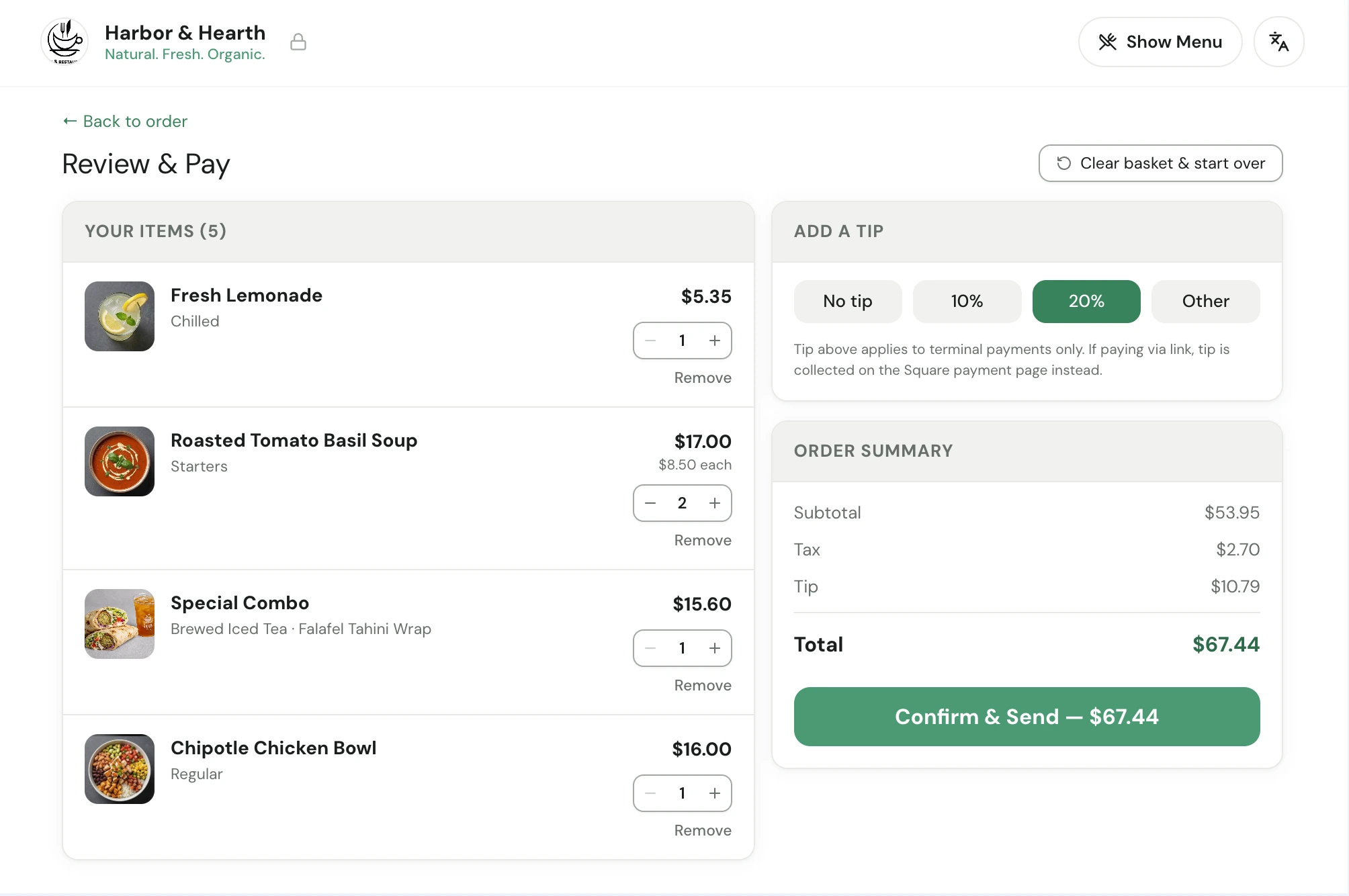
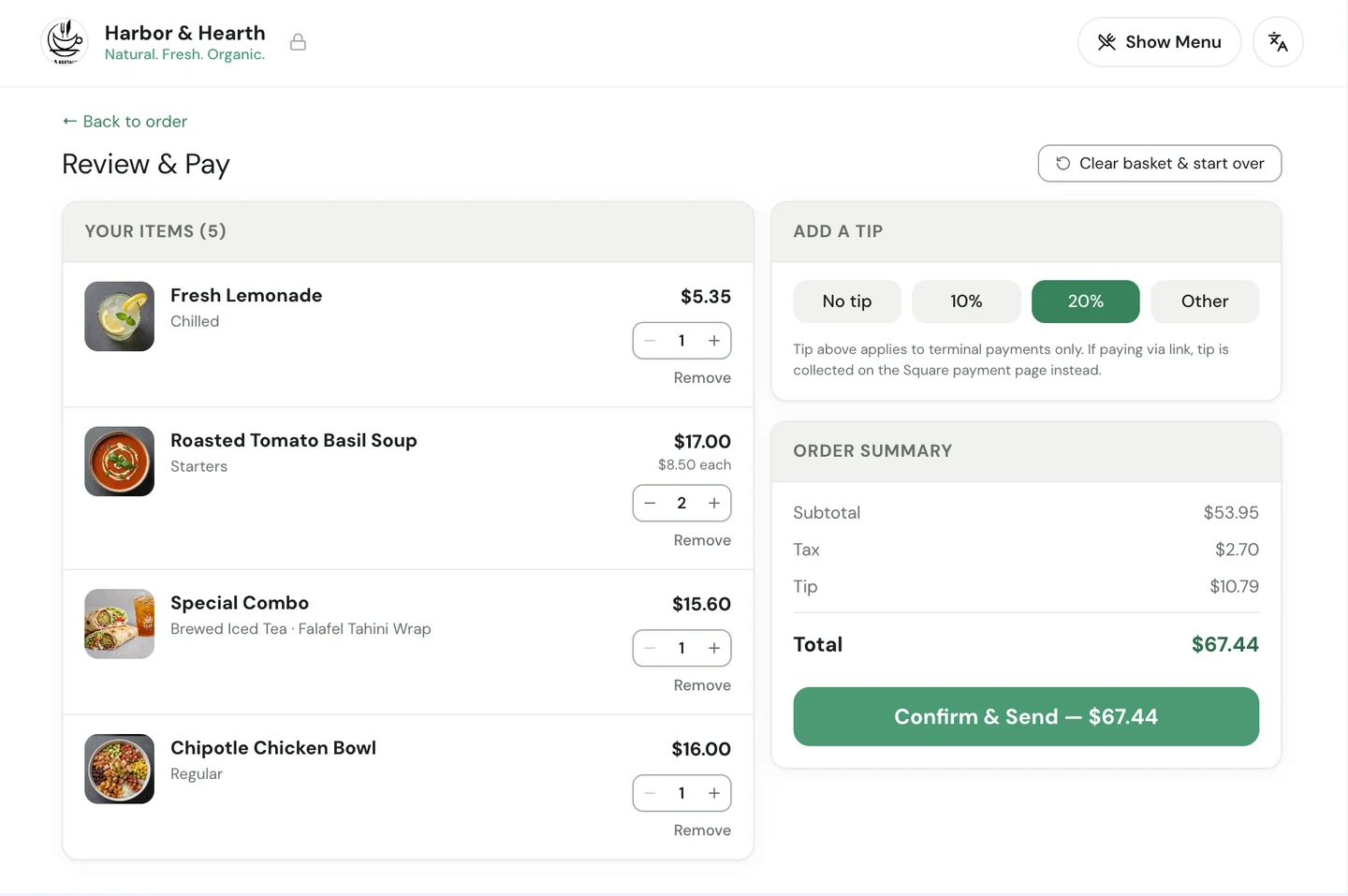
Check each item before continuing.
Check quantities, item choices and totals before checkout. The payment steps depend on your restaurant’s setup.
GUEST ORDERING
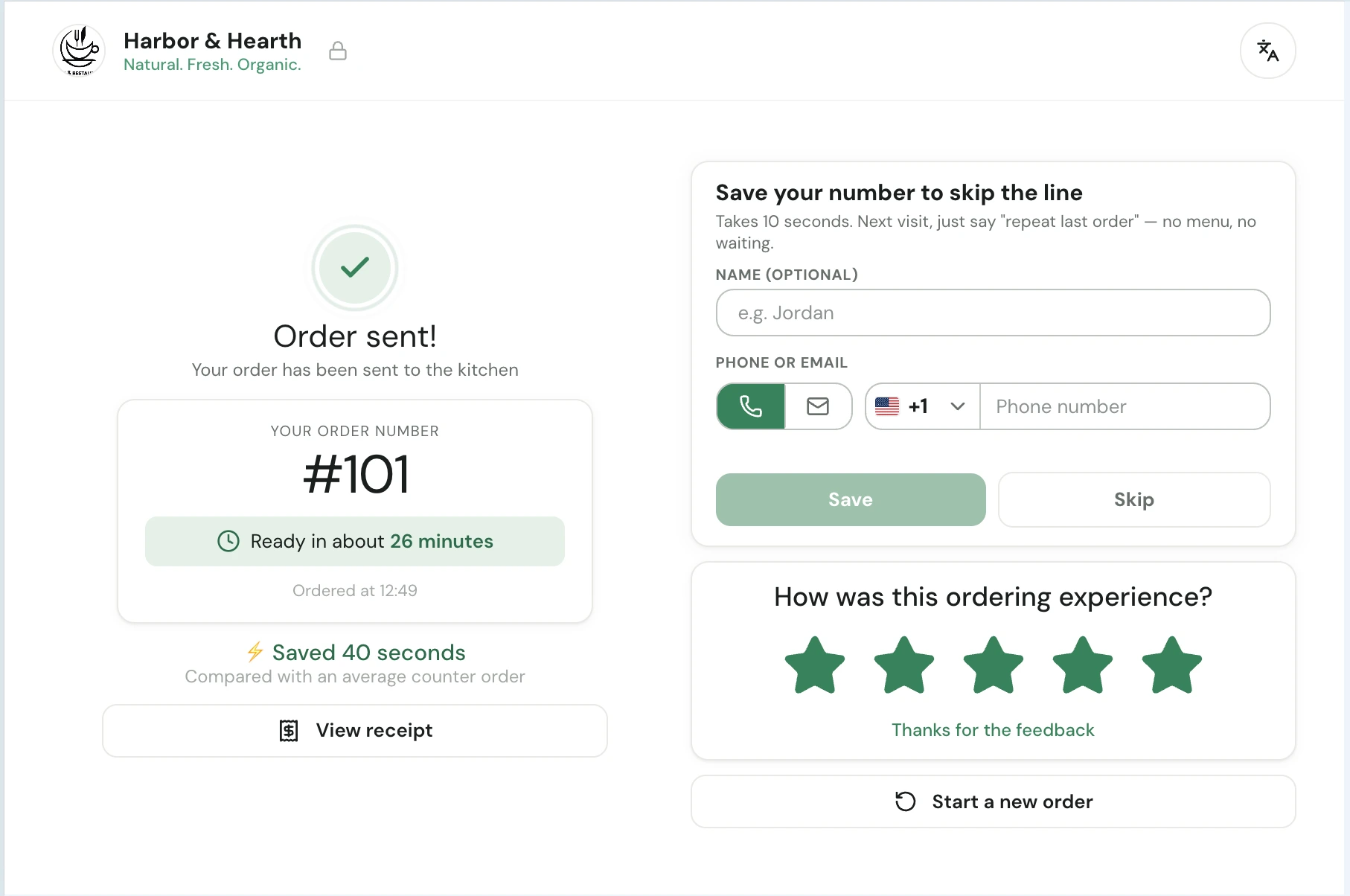
Your order is sent.
Show the order number, estimated ready time and receipt. Guests can leave feedback and choose whether to save their details.
Voice and touchItem-specific choicesA clear review
BUILT AROUND YOUR RESTAURANT
Make Soupr your own.
Put your brand and menu on screen, with hardware that fits your counter.
YOUR BRAND
Your restaurant, on screen.
Show your logo, colours, fonts and food photos. Keep the menu and item choices specific to each restaurant.
YOUR COUNTER
A setup that fits your space.
Have an iPad already? We can check whether it suits your setup, or discuss a dedicated countertop kiosk.
YOUR ORDERING FLOW
Natural to order. Clear to review.
Order by voice or touch. Choose sizes, modifiers and combos, then review each item. Your demo can also cover menu questions, substitutions, add-ons, repeat orders and feedback.
02 / FOR YOUR TEAM
See every order. Keep service moving.
Manage restaurant orders in one place: see orders that need attention, open the details and update their status as your team prepares them.
Keep item choices and preparation notes together. Find past orders, manage menu details and check sales and order trends.
Views advance every six seconds. Choose a view to advance immediately. Keyboard focus stops automatic rotation.
RESTAURANT OPERATIONS
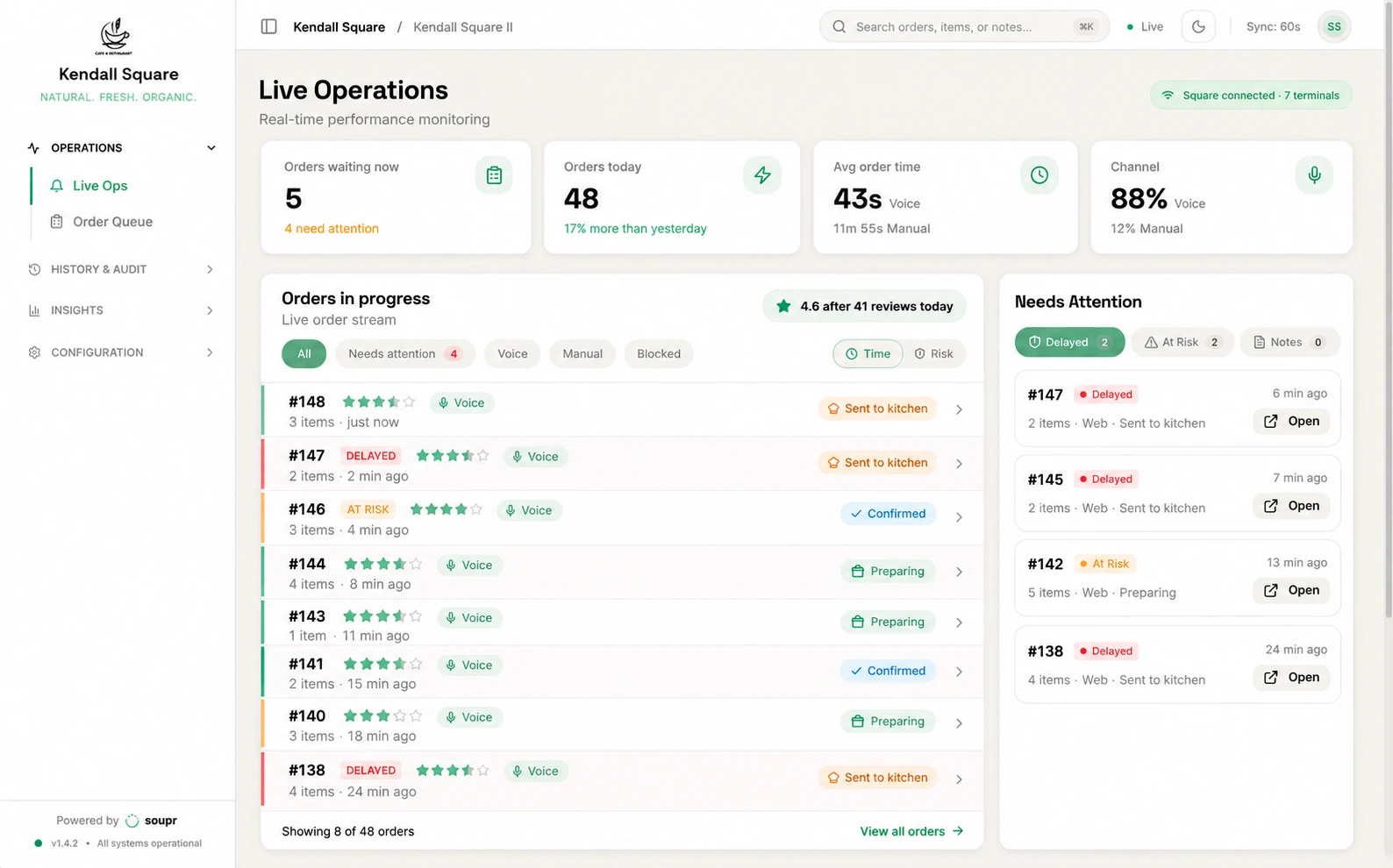
See which orders need attention.
See current orders, delayed orders and those at risk of running late. Open an order to check its details and status.
RESTAURANT OPERATIONS
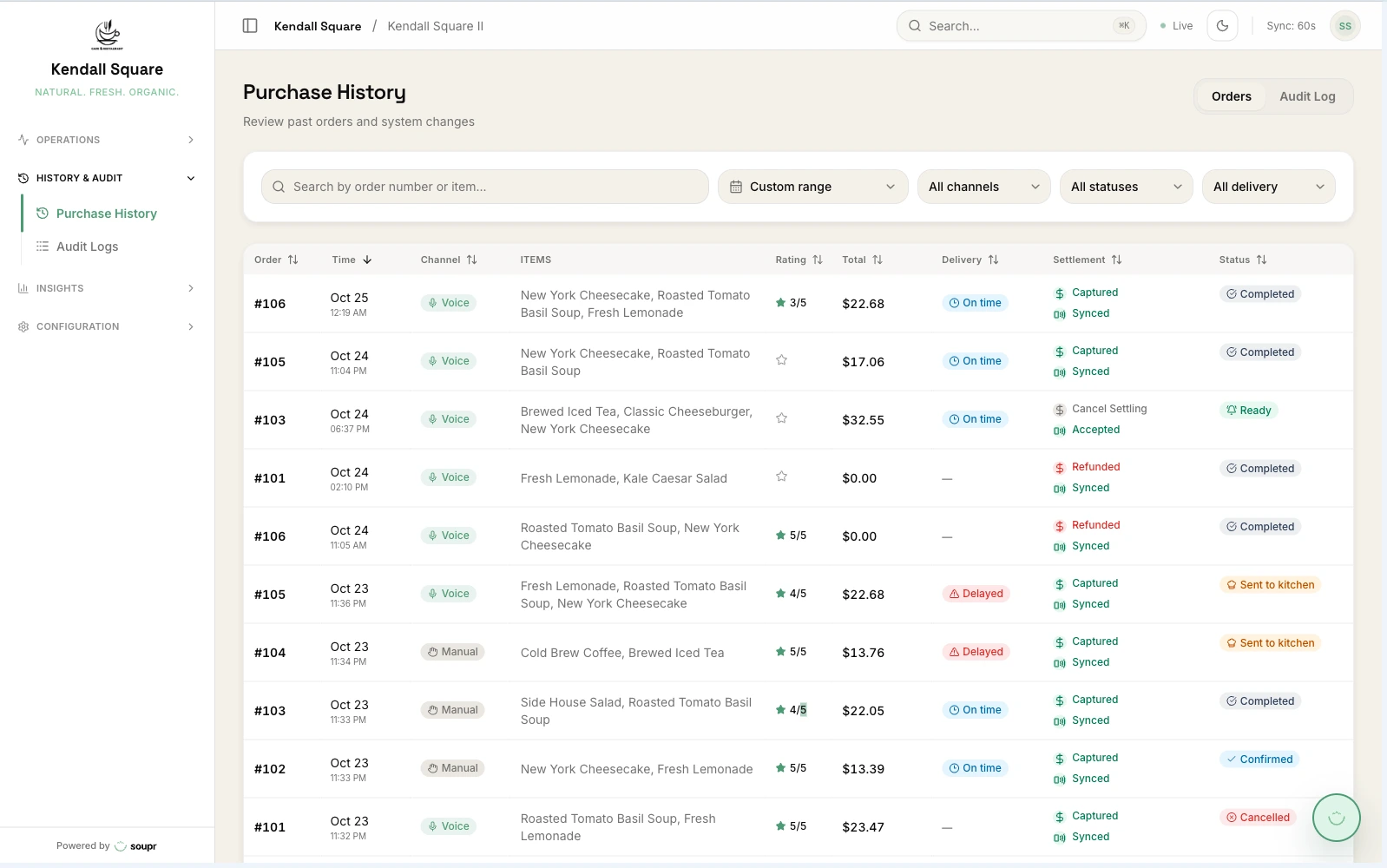
Find and check past orders.
Find past orders and check their items, ratings, timing, payments and status in one place.
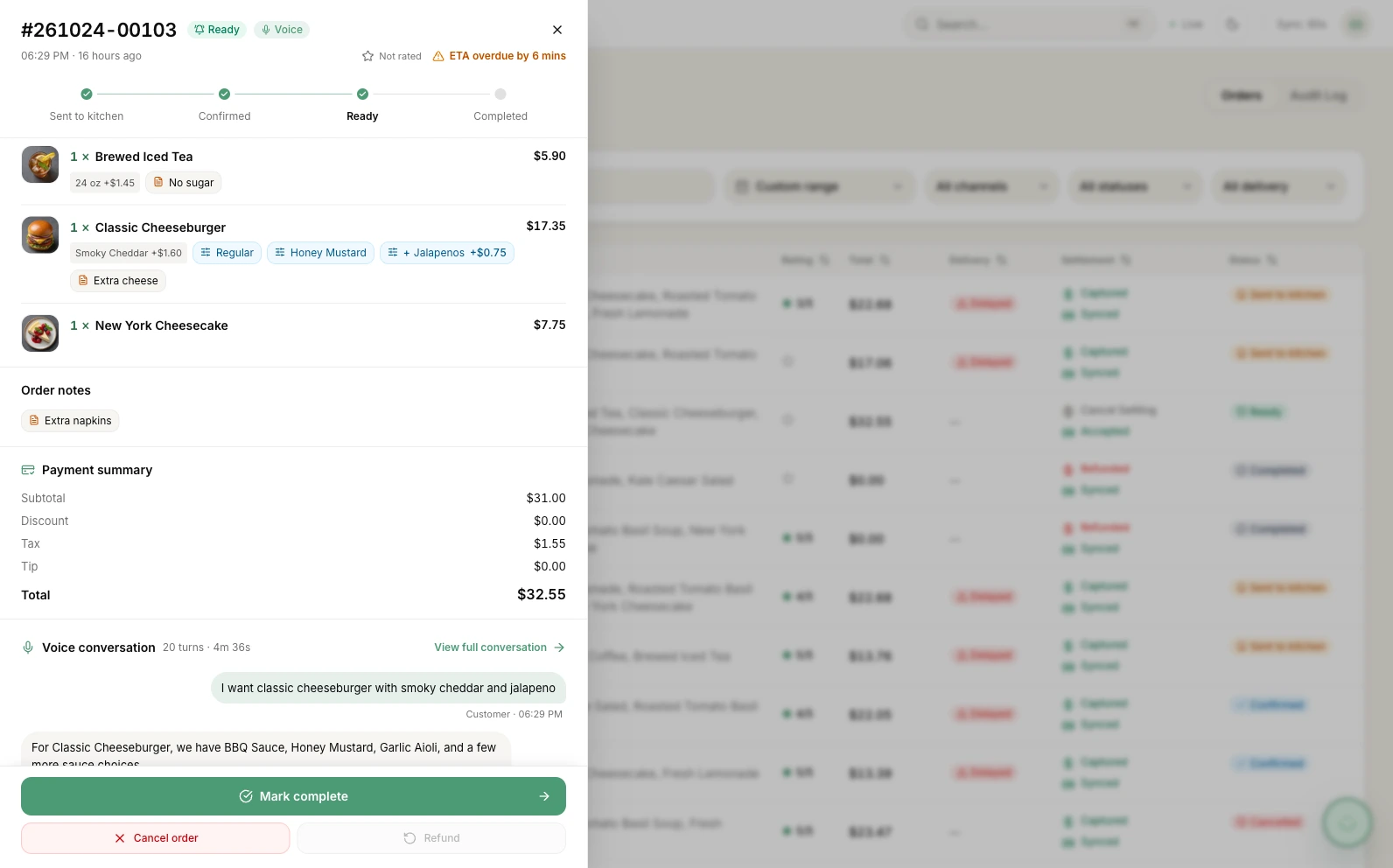
RESTAURANT OPERATIONS
Keep the instructions with the item.
See each item's modifiers and preparation notes alongside order progress, order notes and totals.
RESTAURANT OPERATIONS
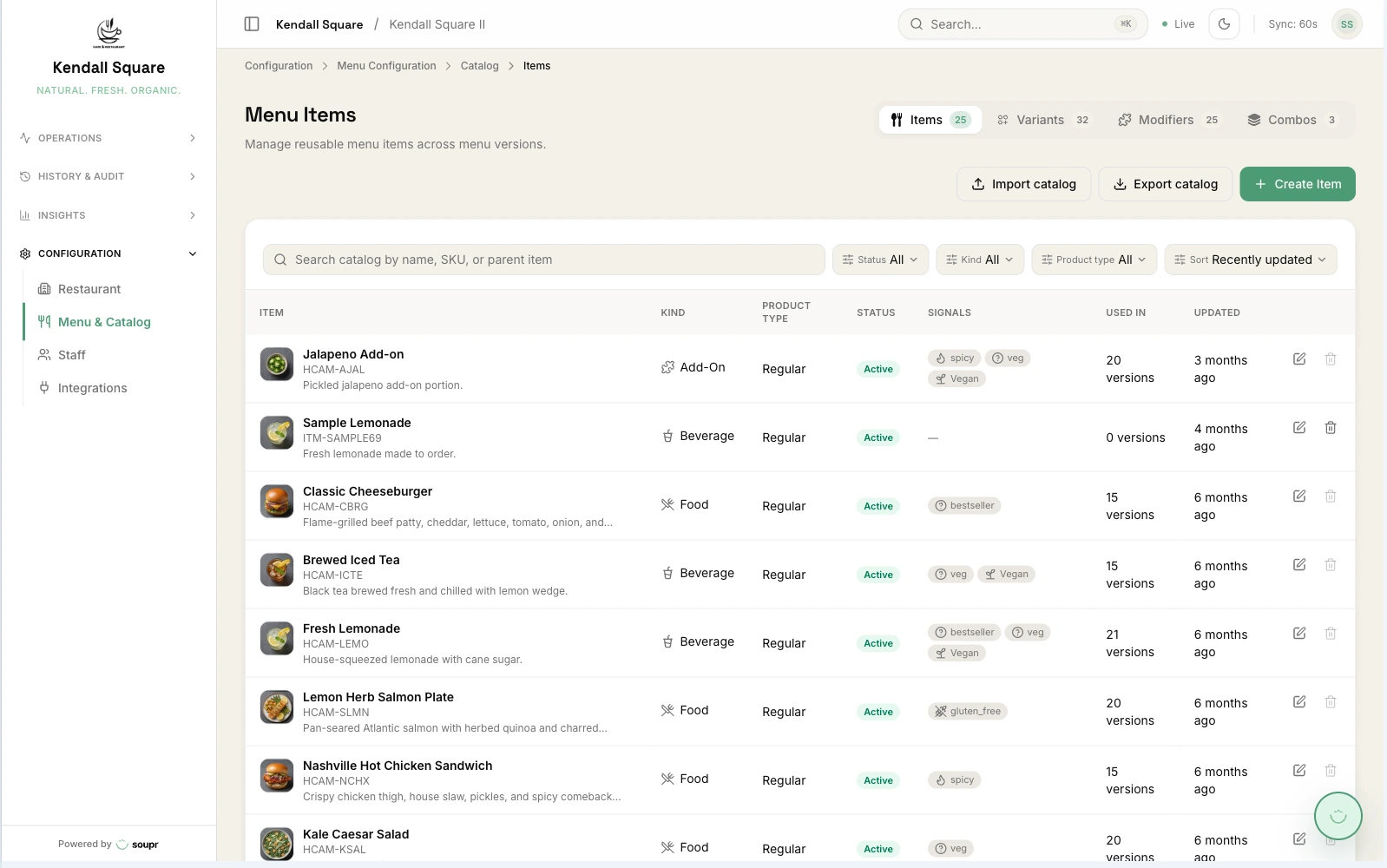
Manage the menu behind the order.
Manage menu items, sizes and modifiers. How changes are published or shared with your POS depends on your setup.
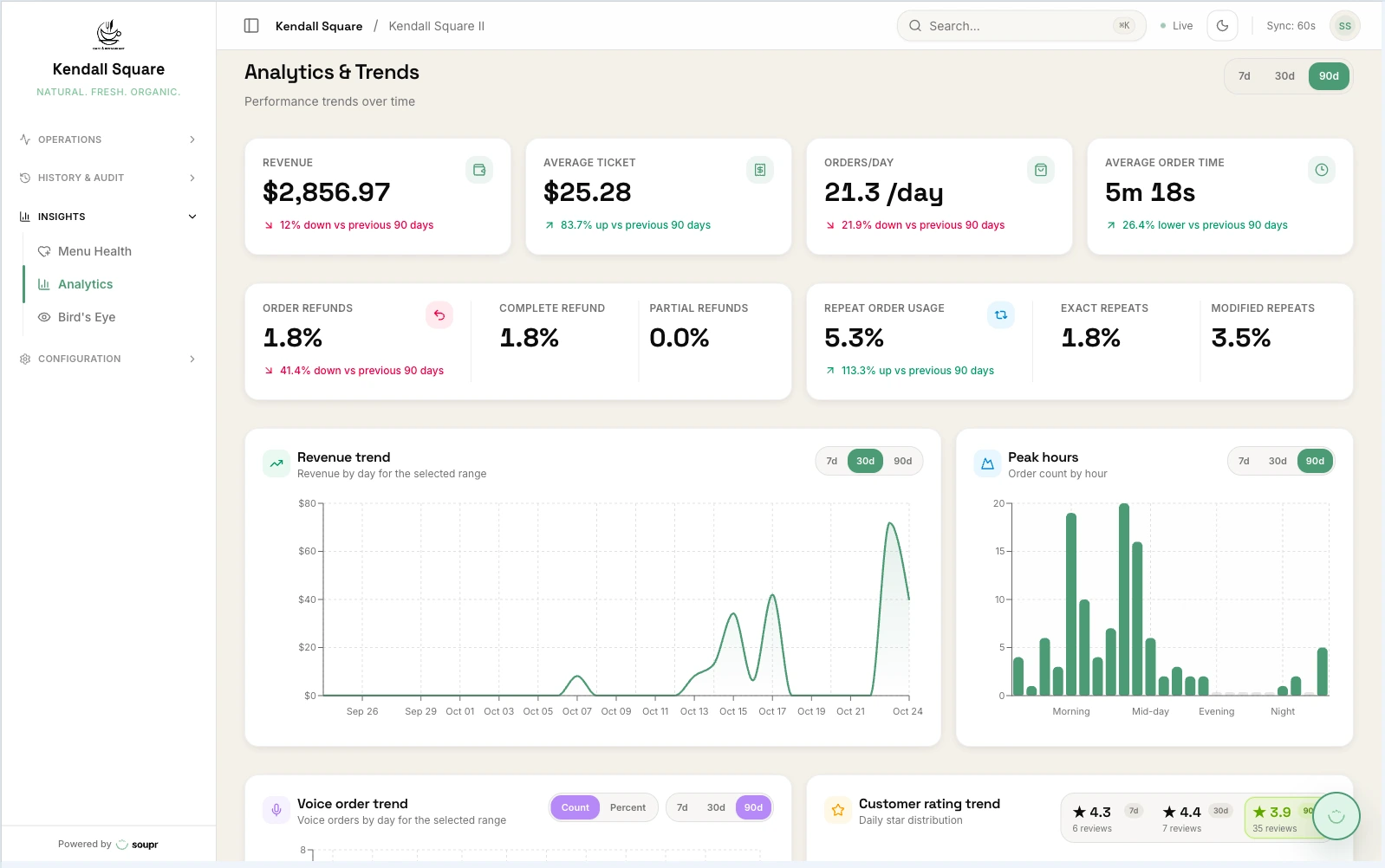
RESTAURANT OPERATIONS
See sales and order trends.
Check sales, order volumes and busy periods. Reports reflect the data available for your restaurant.
ONE ORDER. TWO EXPERIENCES.
From the first choice to the kitchen.
Guests choose and review their items. Your team sees the order details and follows its progress. POS and payment connections depend on your restaurant’s setup.
01 / THE GUEST
Choose your items.
Speak your order or browse the menu by touch.
02 / THE DETAILS
Check the details.
Review quantities, extras and instructions for each item.
03 / THE TEAM
Prepare the order.
Staff see the item details and update the order’s status as they prepare it.
Small details matter. “Extra onions on both. No tomato on one.” Two of the same dish can need different preparation. Each item keeps its own choices and instructions.
SETUP & LAUNCH
From your menu to your counter.
Before you start, know which devices and connections you need, what is included and who handles each step.
HARDWARE & PLACEMENT
Choose the right hardware.
We check your screen, microphone, network and counter layout. Before setup, we agree which devices to use and who handles installation and support.
POS, PAYMENTS & KITCHEN
Check your POS and payments.
Tell us which systems you use. We confirm the supported menu updates, payments and kitchen connections before you get started.
PRICING & GETTING STARTED
Know what happens next.
We discuss your locations, menu and staff access, then agree pricing, setup, support and the steps to launch.
Yes. Guests can browse the menu and choose items by touch. Voice and touch are part of the same ordering screen.
Can guests customise each item?+
Yes. Guests can choose sizes, modifiers and extras, then review each item. Two of the same dish can have different instructions.
Will it work with our menu and POS?+
Tell us which POS and payment provider you use. Before setup, we confirm which menu updates, payments and kitchen connections are supported for your restaurant.
Do we need to replace our hardware?+
We check your current screen, microphone, network and counter layout first. If you need different hardware, we explain the options before you decide.
How much does Soupr cost?+
Contact us for pricing for your restaurant. We’ll discuss hardware, setup and support so you know what is included before you decide.
How do we get started?+
Request a demo and tell us about your restaurant. We’ll show you guest ordering and the staff tools, discuss your menu and existing systems, and explain the next steps.
LET’S TALK ABOUT YOUR RESTAURANT
See Soupr in action.
Tell us about your restaurant. We’ll show you guest ordering and staff tools, then discuss your menu, hardware, pricing and next steps.
01Tell us about your restaurant02See Soupr with your menu03Discuss setup and pricing